

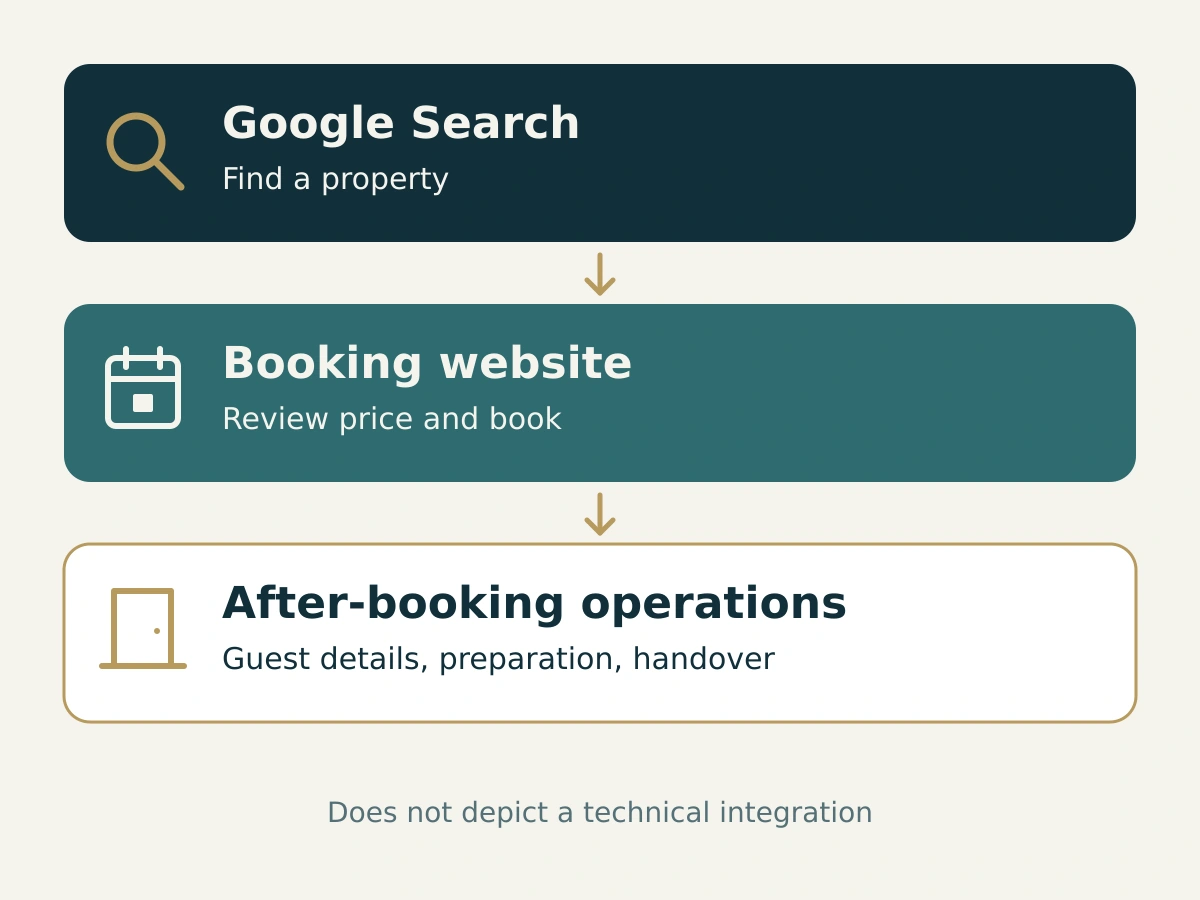
A vacation rental appears on Google, a guest clicks the listing and books on the operator’s website. That is how the process should work. In practice, the next screen may be enough to lose the booking: the selected dates are missing, the cleaning fee appears only at the end, or the guest lands on a homepage with twenty properties.
Making good use of Google Vacation Rentals takes more preparation than an attractive listing. The path to booking needs reliable data. Once the reservation is confirmed, the operating team needs to take over. Before launch, decide who is responsible for each part.
What Google Vacation Rentals does
Google Vacation Rentals helps travelers find vacation homes and similar properties in Google Search, Maps and the accommodation search on Google Travel. Travelers compare options, then follow a link to a booking website. Google explains this process in its vacation rentals overview.
For the free booking links described there, Google charges neither a referral fee nor a booking commission. Whether a link generates a direct booking for your business depends on the provider it leads to. If it takes the guest to a booking platform, that platform’s terms still apply.
A regular search result, a business profile and a vacation rental listing with rates and availability are different things. A well-designed website can help with organic search. Appearing in vacation rental search also requires a suitable integration.
Check eligibility before choosing an integration
Access is for eligible, professionally managed properties. Individual rooms and parts of a house are excluded. Private owners should not assume they can become direct Google partners. Small professional portfolios can use approved connectivity partners. Google currently requires at least 500 properties plus technical capabilities for direct integration. Check the current property manager guide for the applicable requirements.
For serviced apartments, also review Google’s property categories. A business operating as an aparthotel may be classified differently from an individually rented vacation apartment. The name used on your website does not determine the category on its own.
Ask your software provider whether it supports your type of operation and the units you plan to list. Also ask which website guests will be sent to, who handles data errors and what fees apply. An available connection is of little use if nobody is responsible for maintaining it.
The official partner list includes Lodgify, among others. Use it to check a provider’s status, then compare the scope of its service and its contract. This article does not present Oprivia as a Google connectivity partner.
Why a schema snippet is not enough
Structured data describes content in a format that search engines can interpret. It does not automatically get a property listed. The VacationRental markup documentation is explicitly intended for websites with a Google Technical Account Manager and access to Hotel Center.
The technical work goes further, too. Google’s integration onboarding documentation distinguishes between property data, rates and availability, and suitable landing pages. Each bookable unit needs a unique mapping. A calendar export alone does not describe the full offer or every part of the price.
When choosing software, this raises a practical question: which system holds the authoritative reservation record? Other processes should be organized around it. The Oprivia software stack guide explains this division between reservation management and supporting applications.
The booking process must deliver what the listing promises
Test the link as a guest who has never heard of your business. Is the selected property still recognizable? Are the travel dates and occupancy correct? Can the guest complete the booking at the displayed price? Google’s referral requirements distinguish between booking links for specific travel dates and direct website links without that price context.
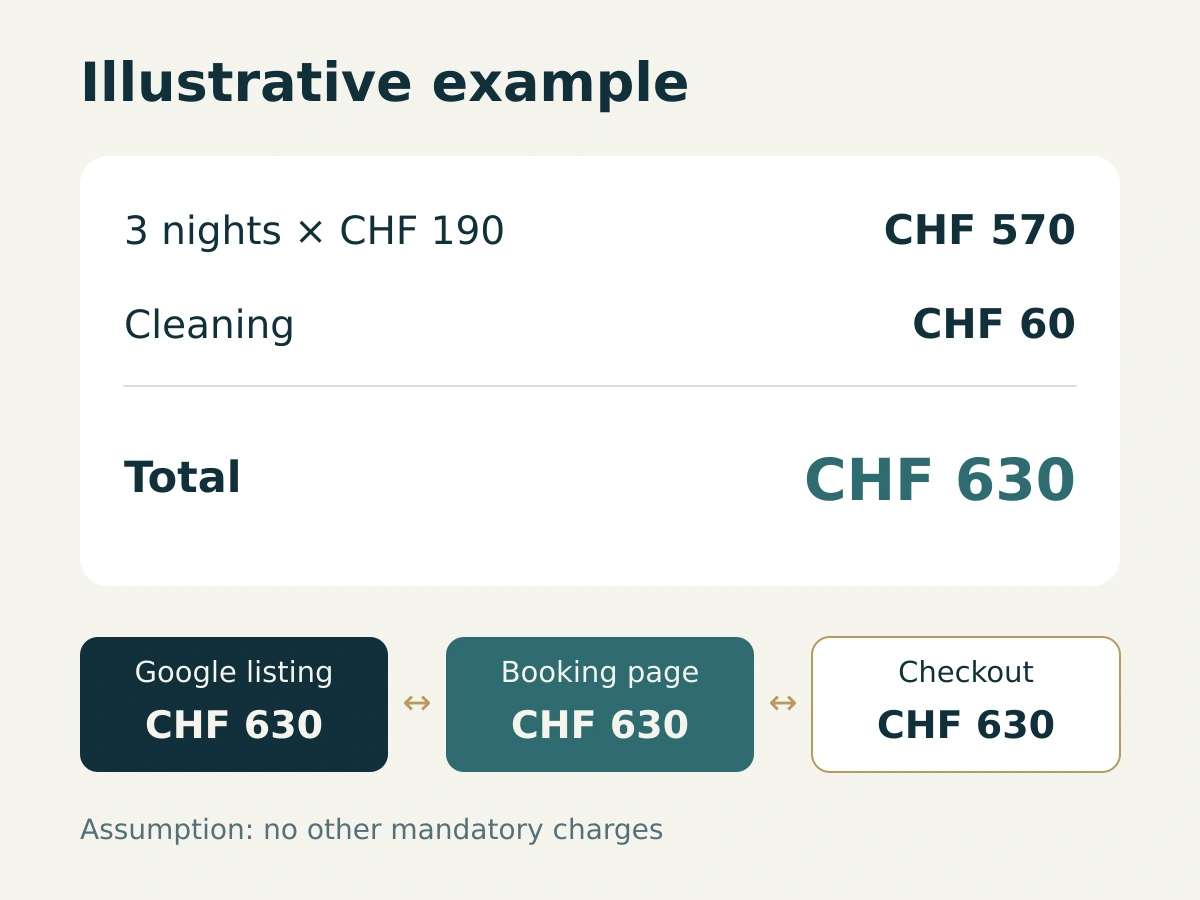
Consider a simple example: three nights at CHF 190 per night, plus a mandatory CHF 60 cleaning fee. Assuming there are no other mandatory charges, the total is CHF 630. The cleaning fee should not come as a surprise in the final booking step. Any applicable mandatory taxes and fees must also be included, even if they are paid at the property. Google’s taxes and fees policy sets out these requirements.
Price errors affect more than the guests who encounter them. Google checks whether prices match and may reduce the placement of booking links or disable them when discrepancies arise. Its price accuracy policy also applies to vacation rentals.
Test more than your most common stay. A single night, a week, different guest counts or an arrival just before a blocked period may reveal different errors. Record the property, dates, occupancy, displayed price and result. This gives the responsible provider the details needed to investigate a discrepancy.
Photos should answer questions
An inviting living room photo cannot replace a clear view of the property as a whole. Guests want to understand the bedroom layout, whether the bathroom suits their group and what to expect at the entrance. Google’s current photo guidance for vacation rentals calls for at least eight images, including at least one of each room. The minimum resolution is 1024 × 683 pixels, with 2048 × 1366 pixels recommended.
Start with a complete view of the rooms, then add the details that matter to a booking decision. Stairs, a sleeping nook with a low ceiling or a shared outdoor area should be visible. Show the actual unit. Photos of a more attractive neighboring apartment create expectations that cannot be met at check-in.
Add a photo review to the task list after renovations, too. If the listing still shows the old bathroom, more decorative shots will do little to help.
When the additional channel pays off
A booking still costs money and takes work to acquire when Google charges no commission. Include the costs of your booking system and connectivity partner, payment fees, and the work involved in your website, content and guest communication. The actual amounts depend on your contracts.
Compare more than booking counts. What matters is the amount left after attributable distribution costs. Also consider whether you gained additional stays or whether guests simply moved from another booking route you own to Google. Website traffic alone cannot tell you which happened.
Start with a manageable set of figures: visits through the Google Vacation Rentals link, completed bookings, booking value and directly attributable costs. Also record inquiries and abandoned bookings where your system provides traceable information. Google’s guidance on direct vacation rental links explains how these referrals are tagged. A tag alone, however, does not prove that a booking was completed.
After a direct booking, you are responsible for the stay
Consider an operator with twelve apartments. A company books three nights for an employee through the operator’s own website. On the afternoon before arrival, the employee says she will not arrive until 10 p.m. So far, the reservation contains only the booking company’s contact details.
The sales process worked. The team still lacks crucial information for the arrival. Someone needs to reach the guest, confirm the agreed access arrangements and check that the apartment will be ready on time. If the stay is extended, a scheduled cleaning may be affected. The new departure date therefore needs to reach the cleaning team as well.
This does not require a second booking calendar. What helps is a traceable connection between the reservation and the tasks it creates. Every open item should have a clear owner and a clear way to establish that it is complete. The reservation and the operational preparation may have different statuses.
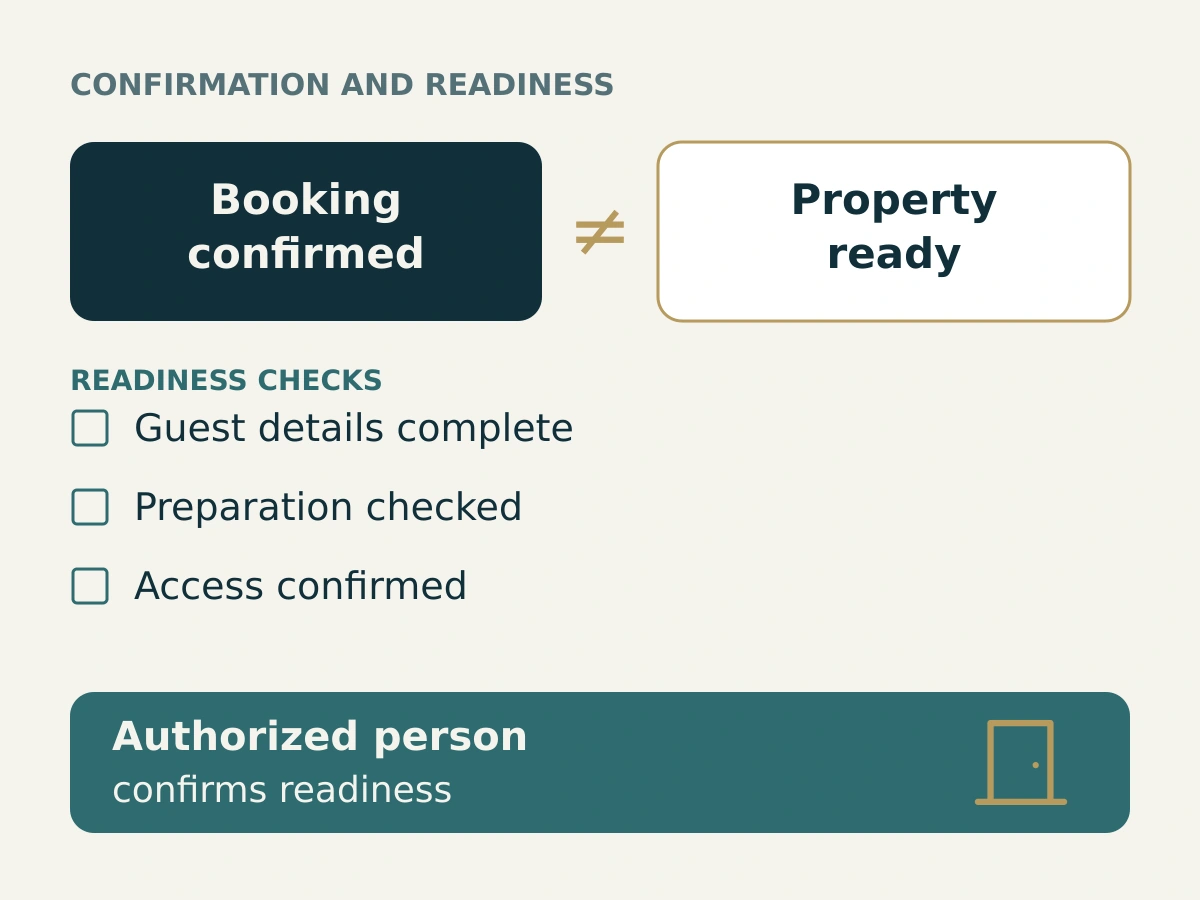
This is where Oprivia fits: the platform supports agreed processes after booking, such as guest registration, guest requests and service orders, with assigned responsibilities and records of completion. It does not provide the Google connection or manage rates and availability. Integrations and data transfers are assessed technically and agreed separately, as the Oprivia FAQ explains.
For a closer look at organizing this part of the operation, the guide to operations after booking covers the next steps.
Start with a few properties and check the full process
Choose units with complete descriptions, photos and booking data. Run a test through to confirmation, then follow how the team prepares for the stay. You should be able to answer these questions:
- Has the connectivity partner confirmed the property’s eligibility and the specific booking route?
- Are the property, dates, guest count and total price carried over correctly?
- Can the guest see the cancellation terms and identify their point of contact before completing the booking?
- Who receives the confirmed reservation and handles changes?
- Who takes responsibility for unfinished preparations as arrival approaches?
Document any errors before adding more units. A small launch that has been checked from start to finish provides more useful information than a large portfolio where booking sources and responsibility for problems remain unclear.
Frequently asked questions
Do I have to get a new PMS?
Not necessarily. What matters is whether your existing system supports a suitable Google connection, reliable booking data and the booking route you need. Have these points confirmed for your specific configuration before planning a system change.
Is a Webflow website with VacationRental JSON-LD enough?
No. The website can provide content, and the markup describes it. Participation in Google’s program and the transfer of current booking information are additional requirements. An informational article about Google Vacation Rentals is not itself a property page and should not use markup that identifies it as a vacation rental.
Does getting listed guarantee more direct bookings?
No. An additional booking route creates an opportunity, but it does not guarantee a return. Use actual completed bookings, costs and operational workload to assess whether the channel works for your properties.
Sources and Notes
Editorial and professional context
Sources checked October 8, 2026. Google requirements are distinguished from editorial recommendations. The price calculation and the twelve-apartment scenario are illustrative examples, not documented customer results.
External professional sources
- Google: About vacation rentals on Google How listings and free booking links work.
- Google: VR property managers, starter guide Partner access and direct integration eligibility.
- Google: Categories for lodging businesses Vacation rental and hotel classifications.
- Google: Vacation rentals partners Public connectivity partner directory.
- Google Search Central: VacationRental structured data Eligibility and scope of structured property data.
- Google for Developers: Vacation Rentals onboarding Property data, rates, availability, and landing pages.
- Google: Vacation rental referral experience policy Requirements for referrals to booking websites.
- Google: Taxes and Fees Policy Disclosure of mandatory price components.
- Google: Price Accuracy Policy Consistency between submitted and bookable rates.
- Google: Photo recommendations and best practices Current photo count and resolution requirements.
- Google: Vacation rentals direct links Property-specific links and tracking guidance.
Oprivia sources
- Vacation Rental Operations After Booking: A Guide for Accommodation Businesses
- Choosing Serviced Apartment Software
- Oprivia FAQ
Scope and limitations
Google determines eligibility and display under its applicable requirements. This article does not promise acceptance, placement, or booking growth. It does not describe an Oprivia connection to Google. Additional integrations are assessed and agreed separately. Local accommodation, registration, and tax obligations are outside this guide’s scope.