This guide explains which features help with day-to-day operations, what to look for when comparing options, and how to choose software that fits your business.
When does vacation rental housekeeping software make sense?
Housekeeping software can make daily work easier even for a single vacation rental, especially with frequent turnovers, external cleaners, or remote management. Small private hosts often organize their own operations. For larger businesses, automated cleaning schedules, digital checklists, and centralized communication make coordination easier.
What is housekeeping software?
Housekeeping software helps you plan and document cleaning and maintenance tasks in vacation rentals. Key features include:
- Automated cleaning schedules: Create jobs from booking data.
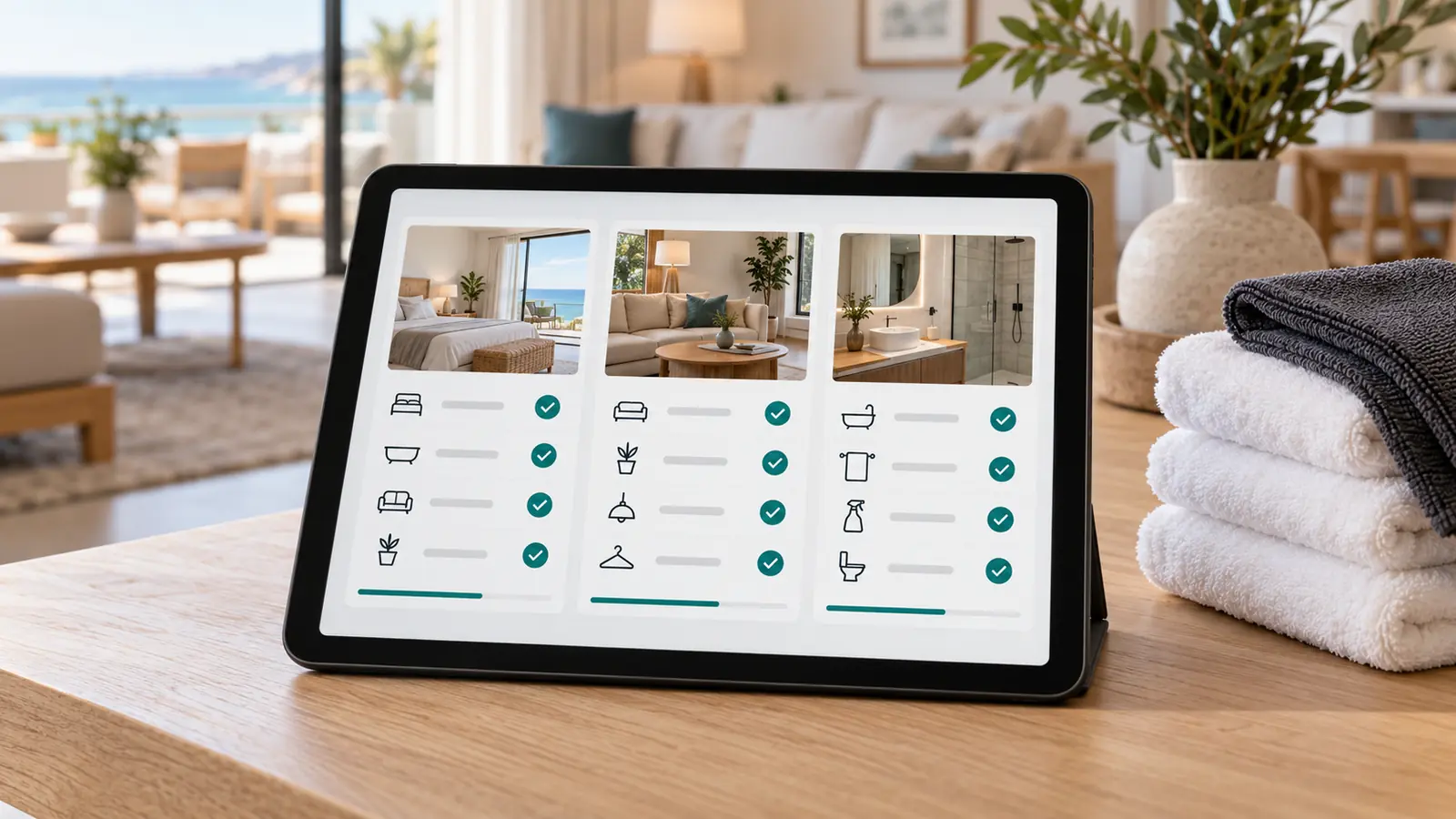
- Digital checklists: Document cleaning work with photos and timestamps.
- Damage reports: Report issues to maintenance staff or property management.
- Inventory management: Track linens, supplies, and equipment.
- Role-based access: Define responsibilities and permissions.
- Mobile access: Manage jobs on the go.
Ideally, the software connects to a property management system (PMS) or channel manager such as Smoobu, Guesty, or Lodgify. The features available depend on the provider and subscription plan.
Housekeeping software vs. manual coordination
- Who it suits: Individual hosts can often manage with a calendar and checklists. Coordination becomes more demanding with multiple properties, cleaners, or external service providers.
- Cleaning schedules: Jobs can be created automatically from bookings instead of arranged manually.
- Quality control: Digital checklists keep requirements, photos, and feedback in one place.
- Communication: Centralized task management brings together information otherwise scattered across phone calls, email, and WhatsApp.
- Scalability: Shared templates and overviews make a growing portfolio easier to manage.
- Costs: Software involves licensing, setup, and training costs. Manual processes also take staff time. Inspections remain necessary in either case.
Whether the software is worthwhile depends on how much coordination your business needs and how well it fits your operations.
The 4 key selection criteria
1. Automated turnovers and PMS integration
There is often little time between checkout and check-in. Booking changes, cancellations, and extended stays make planning harder.
The software should create cleaning jobs automatically from booking data and reliably reflect changes. Check which data the integration transfers: an iCal import does not necessarily offer the same functionality as a direct API integration.
Example: An agency managing 15 vacation rentals with ten departures on a Saturday assigns properties, priorities, and time slots to cleaners directly in the app.
2. Quality control through digital checklists
Cleanliness affects guest satisfaction and reviews on Airbnb or Booking.com.
Digital checklists document cleaning standards with photos and timestamps. Decide who checks the work, requests additional cleaning, and approves the property for the next arrival. If a guest complains, you can see what was done. When damage is found, maintenance jobs can be created promptly.
3. Team coordination and clear responsibilities
Owners, property managers, cleaners, and maintenance teams need clearly defined responsibilities. A central housekeeping app brings tasks and information together:
- Cleaners see their assignments and deadlines.
- Property managers track cleaning status.
- Maintenance staff receive damage reports, while owners receive the information relevant to them.
The dashboard should show at a glance whether a property has been cleaned, inspected, and approved for arrival, along with any unresolved issues.
4. Costs and scalability
Compare ongoing fees alongside the costs of setup, training, additional users, modules, and integrations. Account for the time needed to maintain data and train new staff.
Manual processes also cost time and money through lengthy coordination, duplicate cleaning jobs, missed turnovers, or guest complaints. The subscription price is only part of the picture. What matters is how much time and money the software saves overall.
Housekeeping software compared: Turno, Breezeway, and Oprivia
Turno, Breezeway, and Oprivia focus on different aspects of housekeeping. Your business requirements should guide the choice.
Turno: coordinating turnover cleaning
Turno offers booking-based cleaning schedules, digital checklists, photo documentation, and issue reporting. Its marketplace helps you find cleaners, and inspection jobs can also be scheduled automatically. Turno is particularly suited to businesses coordinating turnover cleaning and cleaning teams. Check its calendar connections and the availability of service providers in your area.
Breezeway: coordinating cleaning, inspections, and maintenance
Breezeway brings together cleaning, inspection, and maintenance tasks with automated workflows, mobile checklists, photo documentation, and status overviews.
The platform suits businesses coordinating several areas of property operations. Check how damage reports trigger follow-up jobs and how outstanding work stays visible before the next arrival.
Oprivia: Connecting assignments, responsibilities, and records
Oprivia provides features for cleaning jobs and partner assignments, guest requests, responsibilities, deadlines, and documentation. Task completion and inspection can be tracked separately. Setup, role allocation, and onboarding depend on the agreed scope. Integrations undergo a technical review in advance.
Which housekeeping solution fits your business?
Property count is only one factor. Turnover frequency, the people involved, and the coordination required also matter.
1–2 vacation rentals: A calendar and checklists are often enough. A simple app helps when using external cleaners.
3–10 vacation rentals: Dedicated software makes assigning tasks easier and helps standardize cleaning requirements.
11 or more vacation rentals: Automated scheduling, PMS integration, role management, and reporting become more important.
Multi-property agencies: Businesses working across several locations and service providers benefit from scalable processes, reporting, and maintenance management.
How to introduce housekeeping software
Implementation involves four steps:
- Review: Record your properties, processes, service providers, and responsibilities.
- Setup: Define checklists and roles, check PMS integrations, and test bookings, extended stays, and cancellations.
- Training: Familiarize cleaning teams with the app and define how properties are approved for arrival.
- Refinement: After 4–8 weeks, compare cleaning times, coordination effort, complaints, and documentation quality with your starting point. Adjust your processes accordingly.
Consider data protection, access rights, and Swiss data protection legislation (the revised FADP), as well as the GDPR where applicable.
Best practices for daily cleaning
Fixed cleaning windows, such as 10 a.m. to 3 p.m., make planning easier when they fit your guest turnover schedule. Allow time for inspections and any additional work. Clear checklists that are reviewed regularly help maintain cleaning quality.
Record maintenance issues directly in the cleaning job, check key inventory items, and schedule seasonal tasks such as fireplace maintenance or garden inspections.
Regular reviews reveal bottlenecks and help you allocate staff efficiently.
FAQ: Common questions about housekeeping software
Is housekeeping software useful for a single Airbnb rental?
Yes, especially with frequent turnovers, external cleaners, or remote management. A checklist is often enough for a few departures per month. When more coordination is needed, digital jobs help organize tasks and deadlines.
Which integrations should a housekeeping app offer?
The connection to your existing PMS or channel manager, such as Smoobu, Guesty, Lodgify, or Beds24, is important. Check which data is transferred and whether Airbnb and Booking.com reservations feed directly into cleaning schedules. Clarify how cancellations and changes are handled and how job status updates are sent back. A direct API integration does not necessarily offer the same capabilities as a calendar import.
Can housekeeping software also manage maintenance tasks?
Yes. Depending on the provider, it can document damage, inspections, and recurring maintenance. Cleaners can report issues directly. The people responsible can track progress and see outstanding work before the next arrival.
How does Oprivia help you choose?
Oprivia helps vacation rental operators in Switzerland, Germany, and Austria review their processes, choose a suitable solution, and introduce it into their operations. The focus is on bottlenecks such as unclear responsibilities, late cleaning, or missing records of completed work.
Conclusion: Housekeeping software brings structure and saves time
Automated turnovers, digital checklists, and centralized task management reduce errors and improve coordination. For multiple vacation rentals or planned growth, scalability and suitable PMS integrations matter. Before choosing a solution, test typical scenarios such as a last-minute booking change or a request for additional cleaning.
Looking to digitize your housekeeping processes? Discuss your process from checkout to final approval with Oprivia. Together, we can establish which tasks, responsibilities, and records your business needs and how the platform fits. Discuss your housekeeping process with Oprivia.
Sources and Notes
Editorial and professional context
Sources checked on October 27, 2026. This article assesses housekeeping software features against day-to-day operating tasks. The property-count ranges and the 4–8-week review period are editorial guidelines, not fixed thresholds for adoption. The provider overview draws on published product information, not independent hands-on testing.
External professional sources
- Turno: Product features Cleaning schedules, calendar connections, the cleaner marketplace, photo checklists, and issue reporting.
- Turno: Automating Inspection Projects Documentation on scheduling inspection projects automatically after cleaning.
- Breezeway: Products and features Task scheduling, mobile checklists, inspections, maintenance, and status overviews.
- Swiss Federal Act on Data Protection (FADP) Legal source for the general reference to Swiss data protection requirements.
- General Data Protection Regulation (GDPR) EU legal source, where applicable to the processing in question.
Oprivia sources
- Oprivia: Platform First-party product information on tasks, roles, deadlines, and records.
- Oprivia: Cleaning companies and service partners First-party product information on partner work orders, task completion, inspection, and closure.
- Oprivia: Cleaning quality in vacation rentals Further reading on cleaning standards, documentation, and approval for arrival.
Scope and limitations
The comparison is an editorial selection. Oprivia is also a provider, and its features are described using its own product information. Check available integrations, scope, subscription plans, and local cleaner availability with each provider before choosing a solution. Naming a PMS does not confirm a specific live integration with every provider discussed. Data protection and access permissions need to be assessed for the actual deployment.